desktop computer

What is a desktop computer?
A desktop computer is a personal computing device designed to fit on top of a typical office desk.
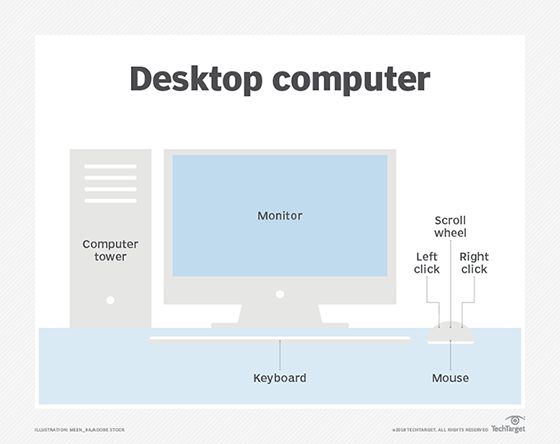
It houses the physical hardware that makes a computer run and connects to input devices such as the monitor, keyboard and mouse users interact with. Desktop computers are commonly used in the enterprise, as well as in consumer use cases such as gaming. In the enterprise, they are important because they are the main means for many users to do their jobs.
Core features and components
A desktop computer includes the processor, which can be a microtower or minitower designed to fit under the desk or a unit that goes on top of the desk. It also includes a motherboard, the main circuit board for the computer. Desktop computer motherboards are generally standardized on Advanced Technology eXtended (ATX), microATX or Balanced Technology eXtended form factors. The desktop computer also houses disk storage.
Almost all desktop computers include a built-in modem and multi-gigabyte magnetic storage drive. They also feature standard extension slots such as Peripheral Component Interconnect Express (PCIe). They require an uninterruptible power supply (UPS), which means they must be plugged in at all times to function.
It is common for desktop computer users to pair the device with a printer. It is possible to interconnect desktop computers across a local area network (LAN) so users can share resources across devices and connect to peripherals such as printers.
History of the desktop computer
The earliest computers in the mid-1960s were large and took up entire rooms. Even the smaller computers at the time, known as minicomputers, were at least the size of a desk themselves.
The first computer that could be considered a desktop was the Olivetti Programma 101. It was released in 1965 and was the size of a typewriter. Other desktops popped up through the mid-1970s, and the first home computers -- TRS-80, Apple II and Commodore Personal Electronic Transactor -- debuted in 1977. Desktop computers became increasingly popular in the subsequent decades, with IBM Personal Computer and Apple Macintosh dominating the market.
Most early desktop computers used cathode ray tube (CRT) displays that sat on top of the actual computer, which laid horizontally on the user's desk. These are known as all-in-one desktop computers. Modern desktop computer displays use light-emitting diode (LED), liquid crystal display (LCD) or organic LED (OLED) displays.
In the 1990s, the all-in-one style desktop gave way to computer towers that users could store on the floor under their desks. By moving the processor off the desk itself, users could work with larger monitors. These are known as full-sized desktops, and the tower connects to the monitor and other aspects of the desktop through cables. In more modern desktop computers, the connection can be wireless. There are also compact desktop computers, which are similar to full-sized desktops but in a smaller form factor.
In the 2000s, the desktop computer gained competition in the form of laptops -- portable computing devices that fit in a user's lap. By the third quarter of 2008, laptops had surpassed desktops in terms of total shipments. The laptop was particularly damaging to desktop computers in the consumer market because home users prefer the convenience of laptops.
In addition, the rise of smartphones and tablets cut into the desktop computer's popularity to the point where Google's Android OS became the most used operating system in the world in April 2017, supplanting Microsoft Windows, the most common desktop OS.
Some of the top desktop computer vendors include Dell, HP, Apple and Lenovo.