New & Notable

Manage
How to remove a device from Intune enrollment
When a device reaches its end of life, IT needs to remove that device from any management software, such as Microsoft Intune. But there are several removal options to learn.
Evaluate
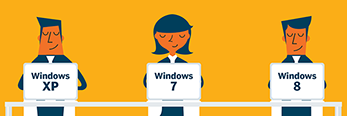
Windows XP EOL anniversary: 10 years of endpoint evolution
Windows XP EOL meant upgrading to Windows 7, but times have changed. IT pros can use the next upgrade cycle as an opportunity to reevaluate endpoints and consider DaaS or AI PCs.
Get Started
Guide to Linux patch management
While patching desktops has some universal aspects across systems, there are specific Linux best practices that Linux administrators need to know. Here are eight important ones.
Manage
How to change a Windows device name with Intune
There are several ways that IT administrators and users can change the name of Intune-managed Windows devices, but first they must understand the different types of device names.
Trending Topics
-
Windows OS & Management Manage
How to remove a device from Intune enrollment
When a device reaches its end of life, IT needs to remove that device from any management software, such as Microsoft Intune. But there are several removal options to learn.
-
Application Management Get Started
How does Microsoft 365 Copilot pricing and licensing work?
Getting access to Copilot for Microsoft 365 may be a simple process or almost completely unfeasible at this time, depending on the organization that wants to deploy it.
-
Desktop Management Get Started
Guide to Linux patch management
While patching desktops has some universal aspects across systems, there are specific Linux best practices that Linux administrators need to know. Here are eight important ones.
-
Unified Endpoint Management Get Started
Creating a patch management policy: Step-by-step guide
A comprehensive patch management policy is insurance against security vulnerabilities and bugs in networked hardware and software that can disrupt your critical business processes.
-
Alternative OSes Manage
How the macOS Security Compliance Project can help IT
It can be difficult for Apple admins to adapt to every new OS release and the respective compliance changes. That's where the macOS Security Compliance Project comes into play.
-
Cloud-based desktops and DaaS Evaluate
Understanding the basics of Windows 365 Government
Windows 365 Government isn't available to all Microsoft customers, but organizations such as governments and privileged contractors can benefit from this specialized offering.
Find Solutions For Your Project
-
Evaluate
Windows XP EOL anniversary: 10 years of endpoint evolution
Windows XP EOL meant upgrading to Windows 7, but times have changed. IT pros can use the next upgrade cycle as an opportunity to reevaluate endpoints and consider DaaS or AI PCs.
-
Find the best Windows 11 registry cleaner
-
Tanium aims to be first with autonomous endpoint management
-
The 6 best rugged computers for business use cases
-
-
Problem Solve
How to change a Windows device name with Intune
There are several ways that IT administrators and users can change the name of Intune-managed Windows devices, but first they must understand the different types of device names.
-
How to back up, repair and restore the Windows 11 Registry
-
How do you back up the Windows 11 registry before editing it?
-
4 ways that I use generative AI as an analyst
-
-
Manage
Creating a patch management policy: Step-by-step guide
A comprehensive patch management policy is insurance against security vulnerabilities and bugs in networked hardware and software that can disrupt your critical business processes.
-
How to remove a device from Intune enrollment
-
Guide to Linux patch management
-
Top 4 unified endpoint management software vendors in 2024
-
-

E-Handbook | May 2021
Remote print management and security for the hybrid workforce
Download -
E-Handbook | October 2020
Matching company-issued endpoint devices to worker needs
Download -
E-Handbook | June 2020
VMware Workspace One unifies reshaped digital workforces
Download -
E-Handbook | May 2020
AMD's Ryzen, Epyc power surge in desktops, laptops, data centers
Download -
E-Handbook | September 2019
AI sharpens unified endpoint management tools and apps
Download
Enterprise Desktop Basics
-
Get Started
Creating a patch management policy: Step-by-step guide
A comprehensive patch management policy is insurance against security vulnerabilities and bugs in networked hardware and software that can disrupt your critical business processes.
-
Get Started
Guide to Linux patch management
While patching desktops has some universal aspects across systems, there are specific Linux best practices that Linux administrators need to know. Here are eight important ones.
-
Get Started
patch catalog
A patch catalog is a repository of data associated with software patches.
Multimedia


-
News
View All -
Desktop management
Microsoft delivers Copilot Pro, eliminates 300 seat minimum
Copilot Pro, a faster version of Microsoft's AI tool, debuts with features such as 'roll your own GPT,' where users can build custom LLMs, along with looser license requirements.
-
Desktop management
Intel Core Ultra CPUs with neural processing runs AI on PCs
Intel's Core Ultra CPUs now contain embedded AI neural processing, which adds options for device manufacturers to divide demand for AI processes among different hardware resources.
-
Desktop management
What IT admins and office workers get in MS 365 Copilot
Microsoft 365's Copilot assistive AI features come with a big price tag, but experts are bullish that they could return the investment to users -- and more.
Enterprise Desktop Definitions
- patch catalog
- Windows Imaging Format (WIM)
- Task Manager
- Windows Management Instrumentation Command-line (WMIC) utility
- virtualization-based security (VBS)
- Windows key (winkey)
- Microsoft Windows Credential Guard
- Microsoft Windows Deployment Image Servicing and Management (DISM)